Key Takeaways:
- Effective tab management reduces cognitive overload and enhances focus.
- Innovative tools and browsers are streamlining workflows by consolidating tasks and processes.
- Implementing tab management strategies can lead to significant time savings and improved mental well-being.
The Challenge of Digital Overload
The increase in remote work, digital collaboration, and cloud platforms has created a scenario where professionals routinely find themselves jumping between more browser tabs than ever before. Between email, project management apps, research, and communication tools, browser windows can easily become a tangled maze. This clutter is more than a minor annoyance—it directly increases stress. It impairs focus, with data suggesting that people toggle between digital tools as often as every 40 seconds on average. Watch videos about Shift browser and learn how it can help restore order to your workday.
Cognitive overload from too many tabs contributes to poor decision-making, forgotten tasks, and slower response times. Workers now lose as many as 44 hours per year simply from the inefficiency of switching between fragmented workspaces, according to The New York Times. This constant switching not only drains productivity but is a standard driver of workplace burnout.
Innovative Solutions to Tab Overload
Modern browser tools are evolving to tackle these challenges head-on. Instead of assuming users can keep up with endless tab chaos, innovative solutions integrate features like tab grouping, task consolidation, and even new AI-powered workspaces. Here are three standout tools making a positive impact:
- Zen Browser:Known for its distraction-free philosophy, Zen Browser combines powerful tab grouping with intuitive workspace isolation to help users focus on one project at a time. Its minimalist approach means less cognitive friction and a noticeable drop in daily screen time. Learn more about its features in the Zen Browser User Manual.
- TabZen:This tool transforms every new browser tab into a centralized productivity hub, integrating calendars, notes, task lists, and Pomodoro timers all in a seamless interface. Its sync features across devices keep you organized wherever you work. Explore more on the TabZen website.
- ZenTabs:Designed for users who thrive on compartmentalization, ZenTabs enables people to organize their tabs into easily accessible bundles, allowing them to switch between projects without reopening or losing important information. Check out the extension on the Chrome Web Store.
Effective adoption of these tools enables professionals to experience workflows designed around focus and efficiency, rather than digital distraction.
For further statistics on the workplace impact of digital overload, visit this BBC Worklife report.
The Role of AI in Enhancing Productivity
Artificial Intelligence now stands at the forefront of tab and productivity management. Productivity suites like Google Workspace and Microsoft 365 are leveraging AI capabilities—such as instant meeting summaries and draft email replies—to help users reclaim precious minutes lost to manual organization.
More AI-driven extensions are now integrating directly into browsers, allowing for dynamic tab recommendations, automatic grouping, and seamless context switching. These proactive features move beyond keeping records and actively steer users toward optimal workflow choices, providing personalized suggestions based on their working patterns. The results: fewer forgotten tabs, less distraction, and meaningful time savings over the course of a workweek.
Addressing Digital Tool Fatigue
While adopting digital tools can be empowering, too many separate tools often result in “digital tool fatigue.” Workers plagued by scattered apps report feeling frustrated, with over 35% saying that excessive switching between apps actually makes them less effective. In many organizations, employees lose more than two hours weekly searching for information or switching tasks, a problem often compounded by having too many tabs or apps open simultaneously. Learn more in this Wall Street Journal analysis.
The current best practice is to consolidate: choose tools and browsers that integrate multiple functions, automate routine actions, and minimize the need to juggle between tabs. For example, integrating messaging, scheduling, and task tracking in one hub—rather than across multiple tabs—can dramatically reduce mental fatigue and boost productivity.
Implementing Effective Tab Management Strategies
- Assess Your Needs:Start by identifying your primary causes of tab overload. Are your distractions caused by research, communications, or task tracking? Target the root issue before selecting a tool.
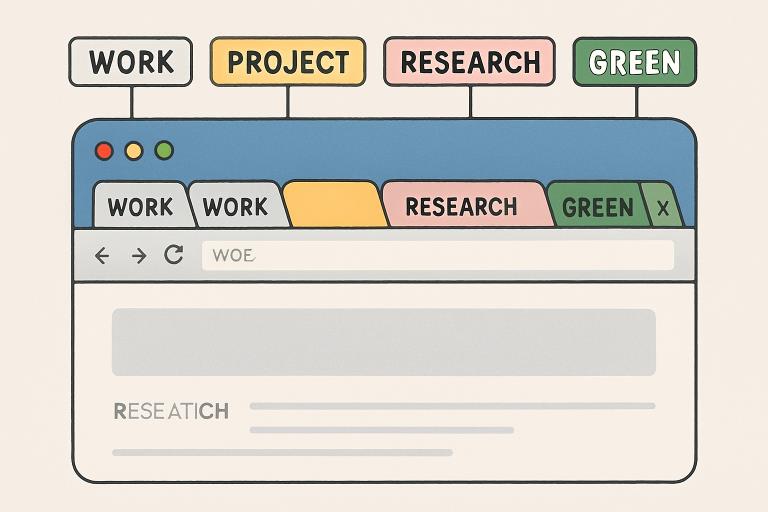
- Customize Your Workspace:Utilize features such as tab grouping, color coding, and project workspaces to reflect your personal workflow. This creates a system tailored to your routines, rather than fighting against them.
- Leverage AI Features:Utilize automation and AI-driven suggestions. Allow your browser’s AI features to handle repetitive tasks and proactively organize information streams for you.
- Regularly Review and Optimize:Set time aside each week to refine your tab management approach. Remove outdated tabs, adjust groupings, and adopt new features as your needs evolve.
By tailoring your digital environment to meet your unique needs, you can maximize productivity and make digital work less overwhelming.
Conclusion
In a digital era that demands constant attention and multitasking, effective tab management is a cornerstone of high productivity and well-being. Today’s specialized browsers and tools are transforming chaotic workspaces into balanced, organized environments—significantly reducing cognitive overload and stress. By actively leveraging AI-powered features, consolidating digital tools, and continuously reviewing management practices, users can unlock both immediate time savings and longer-term benefits for their mental health.